
WebStoreService
This documentation details how to enable WebStoreService in your games.
About
WebStoreService is a module for storing game data externally in Guardsman DataStores. You can download WebStoreService here
WebStoreService was loosely based on the syntax of MAD Studio's ProfileService.
Warning
Before continuing, you must create an account on the Guardsman Web Panel. This will be important when we create a DataStore Access Token
Info
Methods that utilize the Async keyword, for example, Profile:ReleaseAsync() will yield while the HTTP Request completes.
Creating a Token
Creating a WebStore token is extremely easy! First, log in to the Guardsman WebPanel and navigate to the development page
Then, click "Issue Token" in the top right to open the token creation dialog. 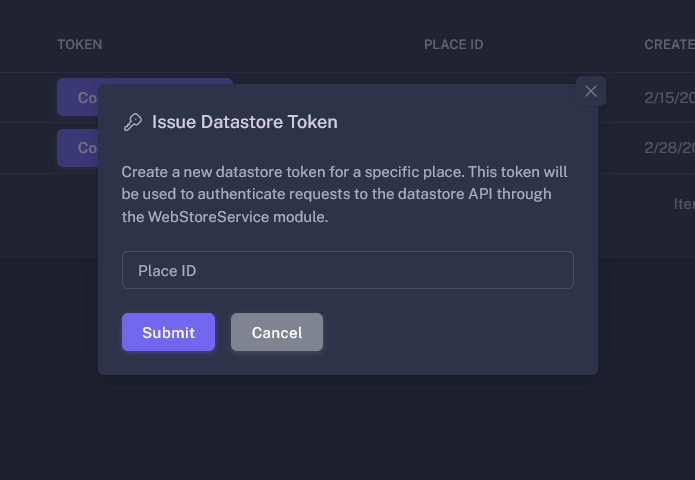
Enter the Roblox Place ID of the game you wish to add WebStoreService to in the Place ID field, and press submit.
You'll then see the token you created appear in the list!
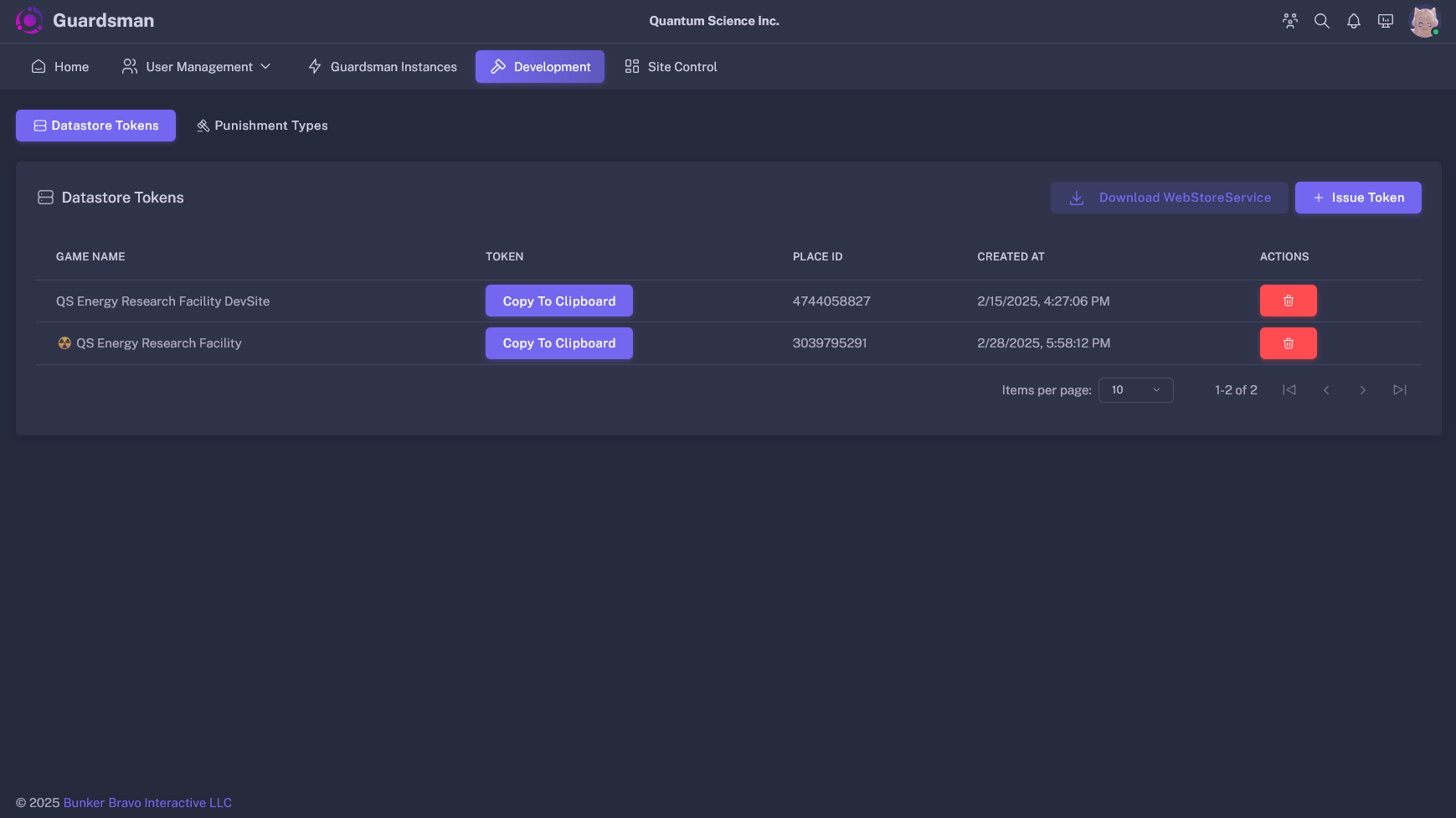
Now, to copy your token, just press the "Copy to Clipboard" button next to the game you wish to install WebStoreService in.
Installation & Examples
To install WebStoreService, download the module here and place it in anywhere on the server.
WebStoreService grants access to essentially a blank canvas for userdata. You can store any data relating to your game, including currencies, settings, inventories, and more.
To fetch a user's data when they join you could use the following code (example):
local WebStoreService = require(PathToWebStoreService)
local Players = game:GetService("Players")

local profiles = {}
local template = {
    money = 0,
    inventory = {
        "ClassicSword",
        "SpeedCoil"
    },
    settings = {
        level_of_detail = "High",
    }
}

WebStoreService.setToken(YourWebStoreToken)
local DataStore = WebStoreService.getDataStore("My Game", template)

Players.PlayerAdded:Connect(function(player)
    --// It's recommended to always pcall LoadProfileAsync, as it can throw an error
    local success, userdata = pcall(DataStore.LoadProfileAsync, DataStore, player.UserId)

    if not success then
        --// Since we failed to fetch the data, we'll get template
        --// and record that this data is NOT loaded from Web
        userdata = DataStore:GetBaseProfile(player.UserId, {
            game_data = table.clone(template)
        })

        userdata.loaded = false
    else
        userdata.loaded = true
    end

    --// Reconcile the data to fill in any missing values from our template
    userdata:Reconcile()

    profiles[player.UserId] = userdata
end)
Now, whenever a player joins the game, their data will automatically be loaded into the profiles table! So now let's save the player's data whenever they leave the game:
(Following the previous script)
Players.PlayerRemoving:Connect(function(player)
    local profile = profiles[player.UserId]

    --// Ensure the profile object is present
    --// AND the profile is not fallback data
    if not profile or not profile.loaded then return end

    --// Save the player's data to WebStores and release their profile
    --// So other servers can load the data
    profile:Release()

    profiles[player.UserId] = nil
end)
And now we have a fully functional WebStore stack where you can modify a player's data in real time and have it save when they leave!
WebStoreService API
getDataStore
Usage:getDataStore<T>(game_name: string, template: T): DataStore
Returns a DataStore with generic type<T>, which should be the type of your game data template.
Throws:- WebStoreServiceConfigurationError: WebStoreService has not been configured with an access token via setToken
setBaseUrl
Usage:setBaseUrl(url: string): void
Sets the base URL for the WebStore API. This is only used if you're self-hosting Guardsman V2.setToken
Usage:setToken(token: string): void
Sets the access token for the WebStore API. (See Creating a Token)
DataStore Class
LoadProfileAsync
Usage:
LoadProfileAsync<T>(self: DataStore<T>, user_id: number): Profile
Sends a request to the WebStore API to fetch the user's game data.
Throws:- WebStoreHTTPRequestFailed: WebStoreService failed to fetch the userdata from the WebStore API.
GetBaseProfile
Usage:
GetBaseProfile<T>(self: DataStore<T>, user_id: number, base_data: BaseData?): ProfileReturns a profile object with the provided WebStore BaseData.
new
Usage:
DataStore.new<T>(name: string, template: T, web_configuration: { BASE_URL: string, TOKEN: string }) : DataStore<T>Returns a strictly-typed DataStore Class.
Profile Object
SaveAsync
Usage:
Profile:Save(release: boolean?)Saves the currently stored data to the WebStore API, and optionally releases the active lock on the profile, allowing other instances to load the data.
Reconcile
Usage:
Profile:Reconcile()Fills in any missing data from the user's data with data from the template. DOES NOT OVERWRITE EXISTING DATA.
Clean
Usage:
Profile:Clean(ignore: { [number]: any }?)ReleaseAsync
Usage:
Profile:Release()
Calls Profile:Save(true)ResetAsync
Usage:
Profile:ResetAsync()Caution
THIS FUNCTION IS IRREVERSIBLE. Data can only be restored through a Data Rollback Point, found on the Guardsman web panel.
Wipes all existing userdata and reconciles. Automatically saves to WebStore API.
BaseData
type BaseData<T> =
{
    game_data: T,
    active_session: string?,
    created_at: string?,
    updated_at: string?
    session_load_count: number?
}